How to Choose a Surveillance Camera for Your Business
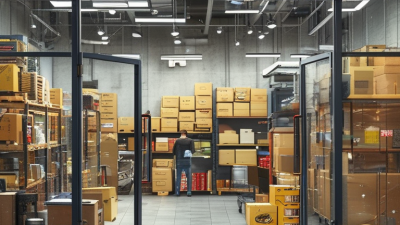
Choosing a Surveillance Camera for your business starts with understanding what you need to see, where you need to see it, and who will review the footage. A small shop may need clear views of entrances and checkout areas. A warehouse may need coverage across loading bays, long aisles, and dim corners. The camera with the highest resolution is not automatically the best choice. Lens angle, lighting, recording capacity, and network reliability all affect what the system can capture.
Start with a simple site review. Note entrances, blind spots, changing light, and places where details matter, such as a reception desk or delivery area. Then compare indoor and outdoor ratings, night performance, storage options, and compatibility with your existing equipment. Check who can access recordings and how long your system can retain them. These practical details often matter more than a long list of features.
There is no universal setup. Not quite. A wide-angle view can cover more floor space, but it may make distant faces harder to identify. A tightly focused camera can show useful detail while leaving nearby areas unseen. That trade-off is easy to miss on a product page. If possible, test a camera in the actual location before committing to a full installation. Review sample footage in daytime and after dark, and ask a qualified installer to assess placement and connectivity. A thoughtful choice balances image quality, dependable operation, maintenance, and budget. It should support everyday security without creating a system your staff cannot manage.
Assess Your Business’s Security Needs and Site Risks
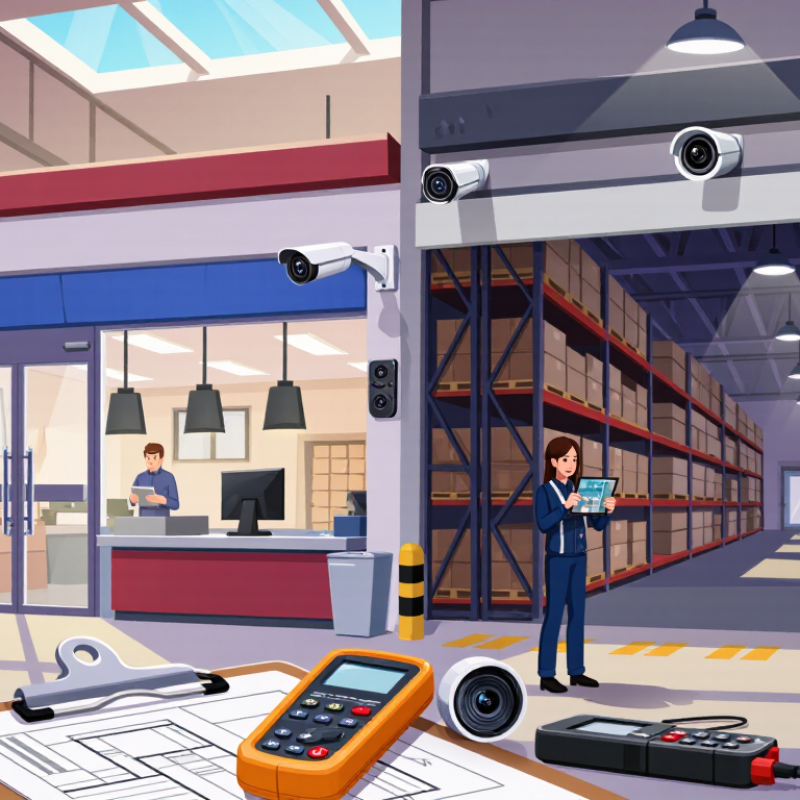
Before comparing camera specifications, walk the site at different times of day. Note public entrances, cash handling points, stockrooms, loading bays, and poorly lit parking areas. Ask staff where incidents or near misses tend to happen. The FBI’s 2023 Crime in the United States report recorded 847,522 burglary offenses nationwide; that figure is not business-specific, but it underlines why local exposure matters. A camera facing a quiet wall will not help much. Small blind spots count.
Match coverage to the risk. For example, a shop may need clear views of checkout activity and exits, while a warehouse may prioritize dock doors and aisle intersections. The U.S. Bureau of Labor Statistics reported 740 workplace homicides in its 2023 Census of Fatal Occupational Injuries, a reminder that some sites also need to assess risks to people, not only property. Check whether lighting, glare, weather, or passing vehicles could obscure important details. I have seen plans focus on the number of cameras and overlook what staff need to see during an incident. That deserves a second look. Decide what evidence would be useful, who needs access to it, and how long recordings should be retained under your organization’s policies.
Choose Camera Types and Coverage for Each Area
Map each area by what staff must recognize, not by how many cameras fit the plan. Start with the task. In a receiving bay, a fixed wide-angle camera can show door activity, while a tighter view captures labels and handoffs. At checkout, frame faces and transaction zones separately; a distant ceiling view may miss useful detail.
Use vandal-resistant dome cameras in public interiors and weather-rated bullet cameras outdoors. Pan-tilt-zoom units suit areas where staff can actively monitor changing scenes. In corridors, aim along the length and avoid bright windows behind people. In storage rooms, overlap views at entrances and high-value shelves, then walk the space to check blind spots. Small details matter.
A 2019 systematic review in the Journal of Experimental Criminology analyzed 76 studies. It reported CCTV was associated with a 13% overall crime reduction and a 37% reduction in car parks. These findings support purposeful coverage, not guaranteed results for every business. Test night footage, glare, and image detail at likely incident distances. A tidy floor plan can still be wrong; revisit it when shelving, lighting, or daily workflows change.
How to Choose a Surveillance Camera for Your Business
Match camera resolution and lens coverage to the level of detail needed in each area. These approximate DORI planning thresholds are measured in pixels per meter.
Typical planning examples: detect activity at a perimeter, observe people in a lobby, recognize faces in a corridor, and identify details at a cash desk. Actual results depend on camera resolution, lens, distance, lighting, and installation. DORI thresholds are approximate; verify coverage on site.
Compare Resolution, Low-Light Performance, and Durability
A useful camera is not simply the one with the most megapixels. EN 62676-4:2014 sets DORI guidance: about 25 pixels per metre for detection, 125 for recognition, and 250 for identification. These figures help match resolution to purpose. A loading-bay overview may need less detail than a till area where staff must distinguish faces or small objects. Check pixel density at the actual distance, not just the camera’s headline resolution. More pixels can also mean more storage and bandwidth.
Low-light performance deserves a real-site test. A specification’s minimum lux figure may not show how clearly moving people appear when exposure is long or the image becomes noisy. Test it at dusk. Walk the entrance, switch on existing lights, and check faces, clothing, and motion in recorded footage. I would not trust a bright demo screen alone; it can hide weak shadow detail. That judgment needs revisiting if lighting or camera settings change.
Durability matters wherever cameras face rain, dust, vibration, or cleaning. IEC 60529 defines enclosure protection ratings: IP66 indicates dust-tight protection and resistance to powerful water jets. It does not mean a device can be submerged or withstand every installation condition. Inspect seals, cable entries, mounting points, and the manufacturer’s stated temperature range. A camera can meet a rating on paper and still fail when poorly mounted. Include access for maintenance in the choice.
Plan Power, Connectivity, Storage, and Video Access
A useful camera plan starts at the mounting point, not the equipment list. Check whether power is available near the entrance, loading area, or stockroom. A camera that needs a cable may require a safe route through walls or ceiling spaces. If using battery power, estimate how often staff can inspect and recharge it. Small details matter. A shaded outdoor camera may need less frequent attention than one facing direct afternoon sun, but cold weather can shorten battery life.
Connectivity deserves a real-world test. Walk the proposed camera locations with a phone or network tester, and check signal strength behind metal shelving and thick walls. A weak connection can cause gaps or delayed video. Wired connections may be more stable, though installation takes planning. Leave room in the network for multiple cameras and routine business traffic.
Storage needs depend on image quality, recording hours, and how long footage should remain available. Estimate daily storage before choosing local or cloud storage, then check what happens during an internet outage. Test playback, not just live viewing. Can an authorized manager find a clear clip from last Tuesday without scrolling for ages? Set individual access accounts, use strong passwords, and review permissions when staff roles change. It is easy to overlook that step. I would check it twice. Keep a simple record of camera locations, power sources, storage settings, and who can view video.
Check Privacy Rules, Installation Needs, and Future Expansion
Before comparing camera resolution, check the privacy rules that apply to your workplace. Map the areas to be monitored, and avoid capturing neighboring windows, staff break areas, or public spaces unnecessarily. Audio recording may face stricter restrictions than video, so disable it unless it is clearly permitted and needed. Set a retention period, limit who can view footage, and document how access is approved. Keep it practical. A camera above a stockroom door may cover deliveries without filming employees at their desks.
Plan installation around real building conditions. Walk the site at night, check glare from glass doors, and confirm power and network access before choosing mounting points. Leave spare network capacity and cable routes for later cameras. MarketsandMarkets projected the global video surveillance market would grow from $53.7 billion in 2023 to $83.3 billion by 2028, a reminder that systems may need to scale. Growth is not a reason to overbuy. The 2024 Verizon Data Breach Investigations Report found that 68% of breaches involved a non-malicious human element; shared logins and forgotten accounts can turn footage into a privacy risk. Review permissions regularly, test updates, and record who maintains the system. One detail is easy to miss: expansion can add blind spots if new cameras overlap poorly with existing views. Check the footage, not just the floor plan.