Choosing the right Surveillance Camera can protect your staff, inventory, and daily operations. However, the most expensive model is rarely the best choice. A small retail store, warehouse, office, and outdoor yard face different risks. Each location needs a camera matched to its lighting, layout, network, and monitoring habits. A camera that performs well near a bright entrance may produce unclear images in a dim storage aisle.
Begin with the scene, not the product label. Walk through the property during daytime and after dark. Notice blind corners, reflective glass, moving doors, and areas where people frequently gather. Then consider resolution, night vision, viewing angle, storage, audio, weather resistance, and installation height. For example, a wide-angle camera may cover a loading zone but show smaller faces. A narrower lens may capture clearer details but leave gaps. These trade-offs matter.
Reliable selection also requires professional installation and responsible data management. Use strong passwords, updated firmware, restricted account access, and secure network settings. Store footage only as long as your business needs it, while respecting applicable privacy requirements. Written camera maps and maintenance checks can prevent forgotten blind spots. Still, no system is perfect. Motion alerts can miss activity, and artificial intelligence can misclassify shadows or uniforms. Test the camera with real lighting, real movement, and realistic staff routines before relying on it. Compare manufacturer specifications with independent reviews and installer feedback. A careful decision may feel slower, but it usually prevents costly replacement, unclear footage, and avoidable privacy concerns.
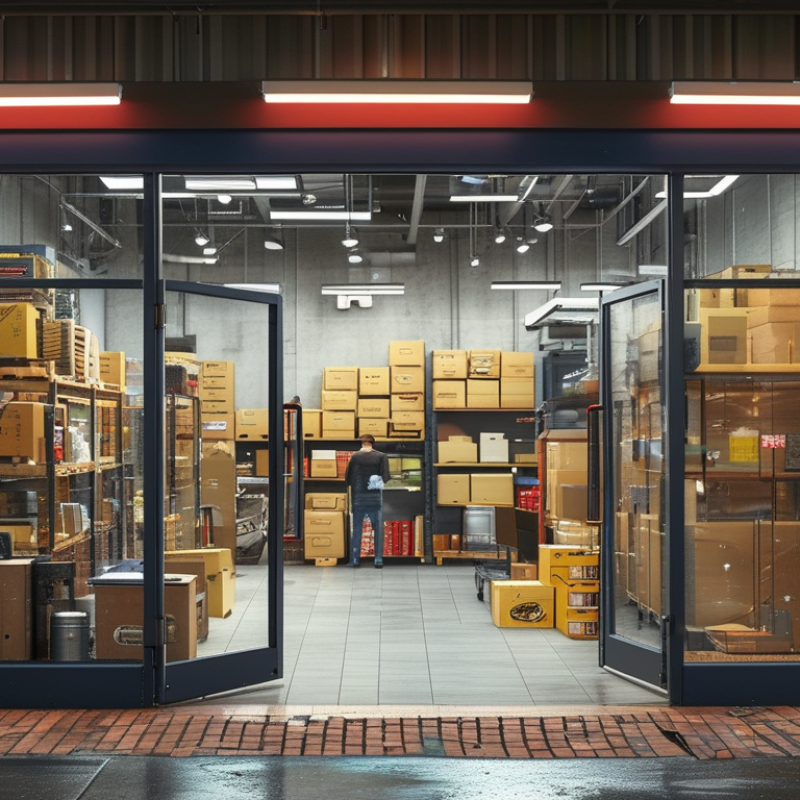
Before choosing a surveillance camera, define what you need to observe. Is the goal deterring theft, checking deliveries, protecting staff, or reviewing incidents? Each goal demands different detail. A loading door needs clear views of faces and packages. A wide parking area needs broader coverage. Write down the exact event you must verify. Vague goals create expensive blind spots.
Walk through the site at different times. Note entrances, payment areas, stock aisles, stairwells, and poorly lit corners. Measure viewing distances, not just room size. Check glare from windows and shadows under shelves. Coverage should support a usable image, not merely a visible scene. A neat plan can still fail. Weather, dust, blocked views, and camera height may affect performance. Review recorded footage after installation, then adjust angles and storage settings.
Tips: Sketch the floor plan and mark priority zones. Assign each zone a purpose. Avoid pointing cameras at irrelevant areas. Test night footage with ordinary movement. Ask an experienced installer to verify blind spots and access controls. Keep a written coverage review, because business layouts change.
How to Choose the Best Surveillance Camera for Your Business
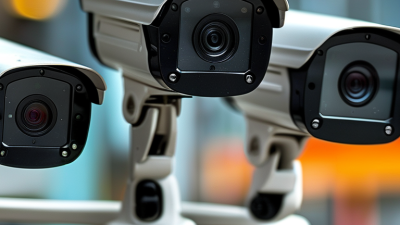
Camera type should match the area, not the marketing description. Fixed cameras suit entrances, counters, and narrow corridors. Dome designs are discreet and often resist tampering. Bullet cameras can cover outdoor walls, loading zones, and longer approaches. PTZ cameras provide flexible movement, but they may miss activity while facing elsewhere. I once chose a wide-angle camera for a small doorway. That choice was wrong. The image showed everything, but faces appeared too small.
Image quality depends on more than resolution. A higher pixel count helps, yet poor lighting can ruin useful detail. Look for strong low-light performance, balanced exposure, and wide dynamic range near glass doors. Test footage during daylight, evening, and backlight conditions. Details matter. Check whether a face, package label, or vehicle plate remains clear at the intended distance. Compression can also soften moving subjects, especially when network bandwidth is limited.
Viewing angle requires a practical compromise. Wide lenses cover more floor space but create smaller subjects and stronger edge distortion. Narrow lenses capture greater detail over distance but leave blind spots. Measure the scene before selecting a focal length. Mounting height matters too. A camera placed too high may show the top of a person’s head instead of facial features. Test it onsite. Review privacy requirements, access controls, and storage settings with a qualified installer. My own preference is to accept a few blind spots rather than force one camera to cover everything. That decision is not always convenient, but it often produces more reliable evidence.
How to Choose the Best Surveillance Camera for Your Business
Lighting should be tested where the camera will operate, not only in a showroom. Measure daylight and nighttime levels at face height. My first instinct is often to choose the highest resolution. That can be the wrong priority. Strong backlighting can hide faces, while glossy floors may create glare. Select wide dynamic range, suitable low-light sensitivity, and infrared support when needed. Avoid placing infrared cameras behind glass. Reflections can ruin otherwise sharp footage. The U.S. Department of Energy reports that LED lighting uses at least 75% less energy than incandescent lighting and lasts up to 25 times longer. Efficient lighting may improve visibility while reducing maintenance demands.
Weather resistance deserves equal attention. NOAA recorded 27 U.S. billion-dollar weather and climate disasters in 2024. Outdoor equipment therefore needs more than a weatherproof label. An IP66 enclosure is dust-tight and resists powerful water jets, while IP67 also supports temporary immersion under defined test conditions, according to IEC 60529. Check the camera, cable glands, connectors, and mounting surface together. One weak connection can defeat a strong enclosure.
Mount entrances around 2.4 to 3 meters high, where possible. Keep faces away from direct sunlight and vehicle headlights. Loading bays need wider views, but corridors often need narrower coverage. Walk through the scene at different hours. I have seen careful installations fail because seasonal shadows were ignored. Recheck focus after temperature changes. Small oversights matter.
| Evaluation Dimension | Typical Business Condition | Recommended Camera Characteristics | Useful Specification or Target | Installation Notes |
|---|---|---|---|---|
| Bright indoor areas | Retail floors, reception desks, offices, and warehouses with consistent artificial lighting | Standard color camera with automatic exposure and infrared capability for after-hours monitoring | At least 1080p resolution; automatic day/night switching; adjustable exposure | Mount high enough to reduce tampering while keeping faces and transaction areas visible |
| Low-light indoor areas | Storage rooms, corridors, loading areas, and facilities with limited lighting | Low-light sensor with infrared illumination or controlled white-light support | Check the manufacturer’s minimum illumination rating; select infrared range based on the room depth | Avoid aiming infrared directly at reflective walls, glass, or shiny floors because glare can reduce image quality |
| Strong backlighting | Entrances, windows, glass doors, and areas facing the sunrise or sunset | Camera with wide dynamic range and backlight compensation | Preferably true or measured WDR; use a setting suitable for high-contrast scenes | Test the camera at different times of day; position it to avoid direct sunlight entering the lens |
| Outdoor general use | Building exteriors, parking areas, walkways, and service entrances | Outdoor-rated housing with temperature control and protection against dust and water | IP66 is commonly selected for outdoor installations; verify the complete product rating | Use weatherproof cable glands and sealed junction boxes; keep connectors protected from standing water |
| Heavy rain, dust, or wash-down areas | Industrial yards, food-service areas, workshops, and exposed loading docks | Housing with a higher ingress-protection level and corrosion-resistant mounting hardware | IP66 or IP67 may be appropriate; IP67 adds protection against temporary immersion under test conditions | Confirm that the installation method preserves the rating; avoid placing the camera where high-pressure spray hits the lens |
| Hot, cold, or rapidly changing temperatures | Unheated warehouses, rooftops, outdoor cabinets, and refrigerated environments | Camera rated for the site’s full operating temperature range, with a heater or fan when required | Compare the published operating range with local seasonal temperatures, not just average temperatures | Allow airflow around the housing and use a sun shield where direct solar heating may exceed the rated range |
| Wide-area coverage | Large sales floors, open yards, parking lots, and warehouse aisles | Wide-angle camera, panoramic model, or pan-tilt-zoom camera depending on the monitoring objective | Use a site plan to compare field of view, image detail, and the number of cameras required | A wider field of view covers more space but can reduce facial detail at a distance; add dedicated views for critical zones |
| Identification of faces or plates | Cash registers, controlled entrances, delivery gates, and vehicle access points | Higher-resolution camera with a carefully selected lens and stable mounting position | Choose resolution and lens focal length based on target distance and required image detail; do not rely on resolution alone | Aim directly at the identification zone and avoid extreme angles, excessive height, and moving backgrounds |
| Ceiling or overhead mounting | Indoor corridors, retail aisles, offices, and reception areas | Dome or compact fixed camera with a suitable viewing angle | Select a lens that covers the intended zone without excessive fisheye distortion | Check ceiling strength, cable pathways, and service access before final mounting |
| Wall, pole, or corner mounting | Building corners, perimeter fences, parking entrances, and exterior walls | Fixed bullet or compact outdoor camera with an adjustable bracket | Use a stable bracket rated for the camera’s weight and expected wind exposure | Route cables inside conduit where possible and position the camera beyond easy reach |
| Network and power availability | New installations, remote buildings, and locations with limited electrical outlets | Network camera compatible with Power over Ethernet or another approved power method | Verify network bandwidth, cable distance, power budget, and local electrical requirements | Use properly terminated cabling and provide surge protection for exposed outdoor network runs |
| Maintenance and reliability | Multi-camera sites where cleaning, firmware updates, and inspections must be scheduled | Camera with accessible service points, clear status indicators, and secure update controls | Document camera locations, viewing objectives, network addresses, and maintenance intervals | Inspect lenses, seals, brackets, storage capacity, and time synchronization at regular intervals |
How to Choose the Best Surveillance Camera for Your Business
Storage matters. A camera is only useful when recorded footage remains available during an incident. Estimate daily video volume from resolution, frame rate, motion activity, and camera count. Continuous recording needs more capacity than motion-based recording. However, motion detection can miss events when lighting changes or objects move slowly. Test both modes at night. Keep enough retention for your operational needs, and review privacy requirements before setting a retention period.
Connectivity affects reliability. Wired connections usually provide steadier performance in busy buildings, while wireless systems need strong coverage and protected networks. Check bandwidth before installation. A high-resolution camera can consume significant upload capacity. Use separate network access for cameras, strong passwords, current firmware, and encrypted connections. Disable unused services. Small oversights create large risks.
Security includes physical placement and account control. Mount cameras high enough to discourage tampering, but keep faces and entry points clearly visible. Limit access by role, record login activity, and remove former staff promptly. Integration also deserves careful testing. Confirm compatibility with alarms, access control, monitoring software, and existing storage. Ask whether the system supports documented interfaces and useful export formats. A polished demonstration can hide poor real-world performance. Test alerts during peak traffic, inspect exported clips, and verify recovery after a power or network interruption. That practical check often reveals more than a feature list.
Choosing a surveillance camera starts with total cost, not the purchase price. A practical budget includes installation, storage, network upgrades, licenses, inspections, and replacement parts. A 2024 industry forecast by MarketsandMarkets estimates the global video surveillance market will grow from about $53.7 billion in 2024 to $93.1 billion by 2029. Growth can hide recurring expenses. That is not cheap. Compare cloud fees with on-site storage over five years. Also price the labor needed to review footage, update firmware, and test backup power. In field assessments, neglected maintenance often causes more risk than limited image quality.
Scalability matters when a business adds entrances, vehicles, or remote locations. Select systems that support open standards, role-based access, and future storage expansion. Keep spare capacity in network bandwidth and recording storage. A camera that works today may become a bottleneck next year. Cybersecurity deserves equal attention. IBM’s 2024 Cost of a Data Breach Report placed the global average breach cost at $4.88 million, making weak passwords and outdated software expensive mistakes. Legal checks must cover privacy notices, recording limits, employee monitoring, retention periods, and cross-border data transfers. Requirements differ under frameworks such as the GDPR, national privacy laws, and regional workplace rules. Avoid recording private areas, restrict access, document the purpose, and seek qualified legal advice before deployment. A useful review should question its own assumptions, especially when “more coverage” quietly becomes excessive surveillance.
Assess five-year costs, maintenance effort, scalability, and legal requirements before selecting a surveillance system.
The chart shows estimated five-year costs per camera in USD, including equipment, installation, storage or cloud services, and maintenance. Local regulations should be reviewed for notice requirements, audio recording restrictions, retention periods, access controls, and data-protection obligations. Planning estimates vary by site size, labor rates, storage capacity, and retention policy.