request to quote
Leave Your Message

How to Choose the Best Nanny Cam for Your Home

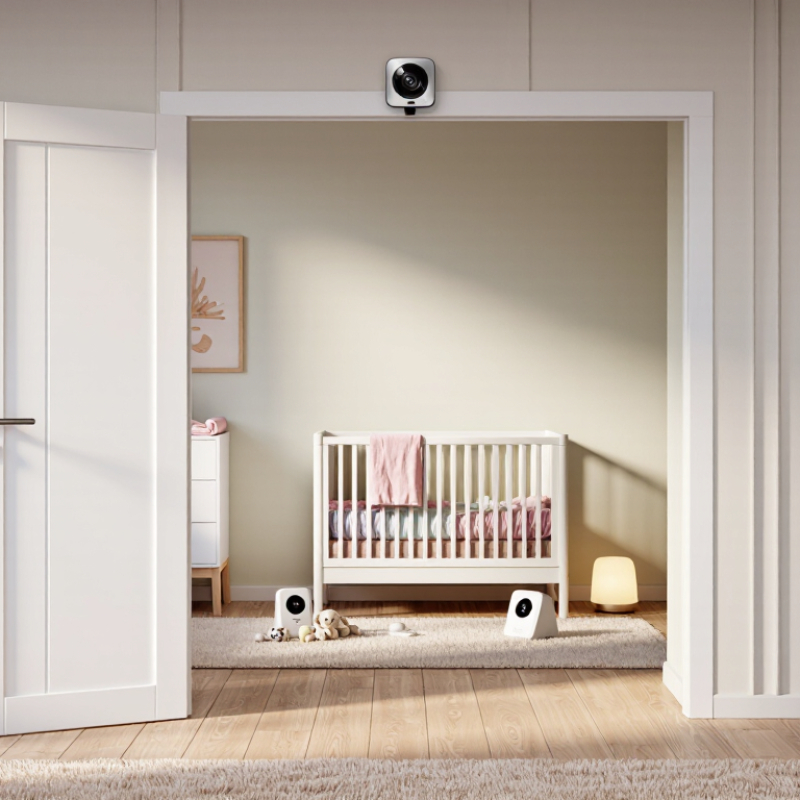
Choosing a Nanny Cam is not simply a search for the sharpest picture. The right choice depends on your home, daily routine, and reason for monitoring. A camera near a nursery doorway may capture useful activity without filming every corner. In a dim room, clear night vision can matter more than extra resolution. Small details count.

Before comparing models, consider where the camera will sit and who may access its footage. Look for practical features such as reliable motion alerts, clear audio, secure account settings, and storage options that fit your needs. Check how recordings are saved and deleted, and whether the device receives regular security updates. A lower price may seem appealing, but weak privacy controls or frequent connection drops can become frustrating. I have to admit, feature lists can make simple choices feel harder than they should.

A Nanny Cam should support careful caregiving, not replace communication or sound judgment. Be transparent with caregivers, respect private spaces, and check the rules that apply where you live before recording. A camera cannot explain every sound or show the full context behind a moment. It also cannot build trust on its own. That distinction is easy to overlook when reassurance is the goal. The best option is one you can use responsibly, maintain securely, and understand without fuss.
How to Choose the Best Nanny Cam for Your Home

Define Your Monitoring Needs and Household Context

Before comparing cameras, decide what you need to see and when. Are you checking whether an infant wakes, confirming a toddler stays in bed, or noting a caregiver’s arrival and departure? Each goal calls for different coverage. A wide view may capture a crib and doorway, yet miss a quiet corner. Be specific. Note the rooms, hours, and events that matter, then avoid monitoring spaces unrelated to care.

Your household shapes the setup. Measure the room, check Wi-Fi strength near the nursery, and consider who will access the feed. Night vision can help in a dim room; clear audio may matter more when the camera sits outside the bedroom. Test the view at a child’s eye level, not just from an adult’s height. Small detail, big difference. Keep cords out of reach and place equipment where it cannot fall.

Think about boundaries before installation. Tell caregivers what is monitored, agree on camera-free areas, and check applicable privacy requirements before recording. Choose access controls and storage settings you understand; disable features you do not need. A camera cannot explain why a child is crying or replace direct check-ins. It may also leave blind spots. Revisit your plan when routines change, and consider whether constant viewing makes your household feel safer or more anxious.

Compare Nanny Cam Types, Features, and Placement Options

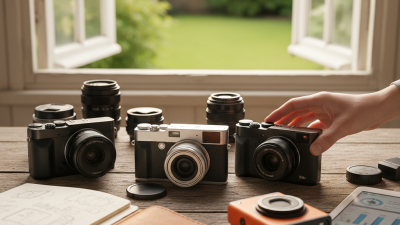
A nanny camera should fit the room and the care routine, not just offer the sharpest picture. Wi-Fi models allow remote viewing, while local-recording cameras can work without a constant internet connection. A dedicated monitor is simple to check at night. Keep it simple. Compare night vision, motion alerts, audio, storage limits, and whether footage is encrypted. NIST’s IoT cybersecurity baseline identifies six capabilities, including device identification, data protection, software updates, and access control. Use those as a practical checklist when reviewing product specifications; vague claims like “secure” are not enough.

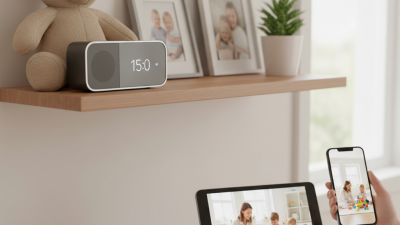
Placement changes what a camera can actually show. A shelf near the room entrance may capture movement without pointing directly at a child’s face. Test the view in daylight and after dark; windows can wash out the image, and furniture can hide small corners. Keep power cords out of reach, and tell caregivers where monitoring is present. Verizon’s 2024 Data Breach Investigations Report found that 68% of breaches involved a non-malicious human element, a reminder that shared passwords and careless access matter too. Use a unique password, enable multi-factor authentication when available, and limit who can view recordings. No setup is perfect. I’d still check the live view from the doorway before relying on an alert.

Evaluate Video Quality, Connectivity, Storage, and Security

Choose a camera that shows faces clearly from the crib or doorway, not just a sharp-looking image on its product page. Check night footage, motion blur, and whether backlighting from a window hides details. Test at night. Higher resolution can use more bandwidth and storage, so compare settings before paying for cloud retention. Walk the camera to its intended spot and check the live feed during your home’s busiest Wi-Fi hours; a strong signal beside the router proves little. Keep recordings only as long as you need, and confirm how easily you can export or delete them.

Security deserves equal weight. Prefer unique passwords, multi-factor authentication, encrypted connections, and clear controls for shared access. Ask whether clips stay local, move to cloud storage, or both, and how account recovery works. Verizon’s 2024 Data Breach Investigations Report found that 68% of breaches involved a non-malicious human element, a reminder that reused passwords and mistaken sharing can matter as much as technical flaws. IBM’s 2024 Cost of a Data Breach Report estimated the average global breach cost at $4.88 million; that figure covers organizations, not household cameras, but it underscores the value of basic safeguards. I would still verify update policies and access logs before buying. Those details are easy to overlook.

How to Choose the Best Nanny Cam for Your Home — Evaluate Video Quality, Connectivity, Storage, and Security

Evaluation Factor What to Look For Practical Guidance Trade-Off or Check
Video resolution At least 1080p Full HD for a clear view of a room and recognizable detail. Consider higher resolution if you need to crop or digitally zoom into a wide scene. Higher resolution can use more network bandwidth and storage. Digital zoom does not add detail beyond the camera’s captured image.
Field of view A wide-angle lens can cover more of a room from one mounting position. Check the stated viewing angle and whether the camera can tilt, pan, or be repositioned to cover areas of interest. A very wide view may make distant details appear smaller. A fixed camera cannot follow movement around the room.
Low-light performance Look for infrared night vision or another clearly specified low-light mode. Review sample footage in a dark room; check that faces and movement remain visible at the distances you expect. Infrared footage is commonly monochrome, and performance varies with distance, obstacles, and room layout.
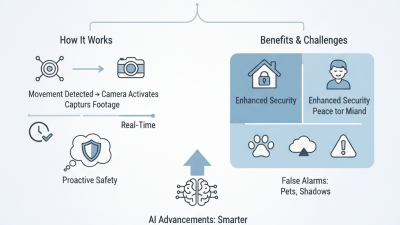
Motion and sound alerts Adjustable motion zones, sensitivity controls, and optional sound detection. Choose controls that help reduce alerts from routine background movement, such as curtains or pets. Detection may be affected by lighting, placement, background noise, and network delays. Alerts are not a substitute for direct supervision.
Wi-Fi connectivity Confirm supported Wi-Fi bands and requirements; many home cameras use 2.4 GHz Wi-Fi, while some also support 5 GHz. Check signal strength where the camera will be installed and test live viewing on your home network. 2.4 GHz generally reaches farther and passes through walls better; 5 GHz can offer more capacity at shorter range. Actual performance depends on the home and network.
Remote viewing A clear explanation of how live video and alerts are accessed when away from home. Check whether remote access requires an account, an internet connection, or an ongoing subscription. Remote viewing depends on the camera service and internet availability. Review what happens during an internet or power outage.
Local storage Check whether the camera supports a memory card or another local recording option, along with supported capacity and overwrite settings. Local recording can be useful if you want footage stored at home; confirm how clips are retrieved and protected. A camera may be damaged, stolen, or inaccessible with its storage. Capacity, recording duration, and card requirements vary by model and settings.
Cloud storage Review subscription cost, clip retention period, download options, and the provider’s data-deletion process. Check whether recordings remain available if you cancel a plan or lose internet access. Cloud features and retention terms vary. Uploading footage requires an internet connection and sends data to an external service.
Account and device security Unique passwords, two-step verification, encrypted connections, and a stated update policy. Use a unique account password, enable two-step verification where available, and install security updates promptly. Security depends on both the device and account practices. Review privacy settings and avoid sharing access more widely than needed.
Power and placement A power source and mounting arrangement suited to the intended location. Position the camera securely, keep cables away from children, and aim it only at the area you need to monitor. Battery-powered cameras may need recharging; plugged-in cameras need a suitable outlet. Avoid placing a camera where it could be reached or knocked over.
Privacy and household expectations Clear controls for disabling the camera, muting audio, and limiting access to recordings. Tell household members and caregivers about monitoring, and check applicable local rules before recording audio or video. Recording and consent requirements differ by location. Avoid private areas and collect only footage you genuinely need.

Selection tip: Prioritize reliable coverage, secure access, and a storage plan that fits your needs. Specifications and subscription terms vary by camera, so verify them before purchase.

Check Privacy Laws and Set Clear Household Expectations

A nanny cam should fit your household’s privacy rules, not just its floor plan. Check local laws before buying or recording. Rules can differ by location and may treat audio differently from video. Avoid private spaces such as bathrooms, and confirm what consent is required before anyone enters the home.

Pew Research Center’s 2019 privacy survey found that 79% of U.S. adults were concerned about how companies use their data. Another 81% said the risks of data collection outweighed its benefits. These figures concern digital privacy broadly, not nanny cameras specifically. Still, they show why clear limits matter. Decide who can view footage, how long it is kept, and when recording is switched off.

Tell caregivers about cameras before their first shift, and explain their purpose plainly. Discuss recording locations and access to saved clips. Put the agreement in writing. Keep it simple. Revisit it when schedules or household needs change. A camera may offer reassurance, but undisclosed recording can undermine trust. It is worth asking whether a camera is needed in every room; sometimes, fewer devices make expectations easier to respect.

How to Choose the Best Nanny Cam for Your Home

Privacy risk by placement or feature — illustrative guidance scale from 1 (lower risk) to 5 (higher risk), not a legal rating.

Choose a camera location that avoids private spaces, tell caregivers and household members about monitoring, and check local laws before recording—especially when capturing audio. Privacy and consent rules vary by location.

Choose a Camera That Fits Your Budget and Daily Routine

A nanny camera should fit your real budget, not just the price on its box. Leave room for storage fees, a memory card, or a longer power cable. Check whether recordings are included or require an ongoing payment. Small costs add up. A common mistake is paying for features that sound impressive but rarely help with your routine.

Think about where and when you need to check in. If you mainly watch one play area, a simple fixed camera may be enough. For a caregiver who moves between rooms with your child, a wider view or easy repositioning could be more useful. Night vision can help during dim evenings, while clear two-way audio may be helpful for brief check-ins. Keep it simple. Test the app and alerts before relying on them during a busy day.

Security and privacy deserve space in your decision. Choose a model with account protection and regular software updates, and use a strong, unique password. Place cameras only in shared areas, not bathrooms or private changing spaces. Tell caregivers about monitoring and agree on expectations. I might be tempted by constant alerts, but too many can become background noise; adjust them after a few days. The best choice is the one you can afford to maintain and use consistently.