Choosing a Covert Camera for business is not simply a matter of finding the smallest lens. It requires a careful balance between security, privacy, image quality, and responsible operation. A discreet design may protect equipment, monitor restricted areas, or document workplace incidents. However, it must never become an excuse for secret recording where people reasonably expect privacy.
Security technologist Bruce Schneier has written, “Surveillance is the business model of the Internet.” His observation encourages business owners to question how collected footage is used, stored, and accessed. That question matters here. A responsible Covert Camera should support a clear business purpose, not curiosity. It should also fit the company’s privacy policies, employee notices, local recording requirements, and data-retention procedures. Rules differ between locations. Professional legal advice remains important.
Practical details reveal the real quality. Check low-light performance in a dim corridor. Test whether the microphone can be disabled. Confirm secure passwords, encrypted storage, access logs, and reliable battery life. A camera that produces blurry footage after six hours is not a dependable security tool. Nor is a device that quietly uploads sensitive video without clear controls. This guide will examine placement, resolution, power, connectivity, storage, and vendor credibility. It will also question common assumptions. Smaller is not always better. More features can create more risk. No checklist is perfect, but a thoughtful process can prevent expensive mistakes and protect both business assets and personal dignity.
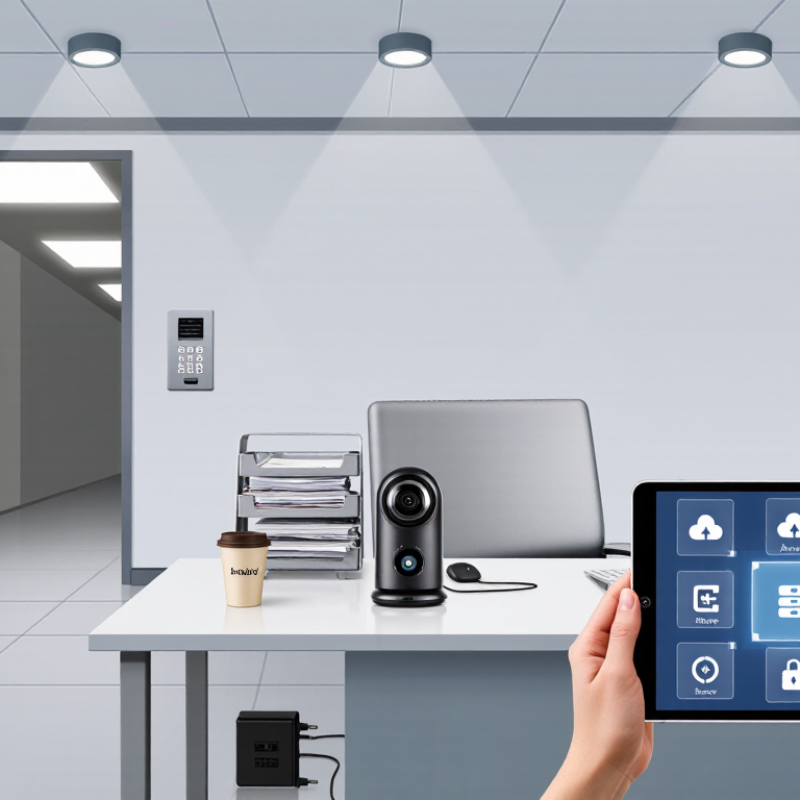
A legal covert camera should serve a specific business purpose, not vague curiosity. Begin by documenting the risk, location, recording period, and people affected. Examples include protecting inventory, investigating repeated damage, or verifying restricted-area access. Keep the scope narrow. A camera aimed at a stockroom door is easier to justify than one covering an entire workplace.
Rules differ by country, state, and industry. Privacy expectations also change between offices, retail areas, staff rooms, and customer spaces. Consult qualified legal counsel before installation, especially when employees or visitors may be recorded. Check consent requirements, workplace policies, notice duties, and data protection rules. Avoid private areas entirely. Even a legitimate purpose can become unreasonable if the camera captures unrelated conversations or personal activities. That point is easy to overlook.
Tips: Write a one-page surveillance plan. State why recording is needed, who may view it, and when footage will be deleted. Use the lowest practical image quality and the shortest retention period. Limit access with individual accounts, strong passwords, and audit logs. Test the camera’s view during normal business activity, not only after installation. A small blind spot may be acceptable if it protects privacy. Review the system regularly, and remove it when the documented purpose ends. Mistakes happen. A written review helps reveal them before they become expensive.
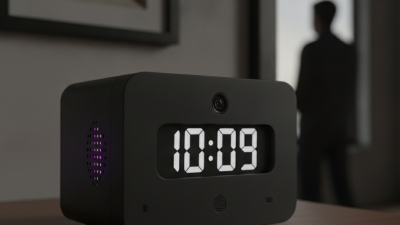
A camera should never be hidden merely for convenience. Check local privacy laws, employment rules, and sector-specific requirements before purchasing. Many jurisdictions restrict recording in restrooms, changing areas, private offices, and other spaces with reasonable privacy expectations. Written notice is often safer than secrecy. It should explain the purpose, recording areas, retention period, access rights, and responsible manager.
Consent rules differ widely. Some regions require consent from every person recorded, while others permit limited workplace monitoring after proper notice. Consult qualified local counsel before installation.
The 2024 Data Breach Investigations Report found that the human element appeared in 68% of breaches.
Restrict footage access, use strong authentication, and keep an access log. A camera with poor security can create a second privacy problem.
Workplace regulations may require employee consultation, union involvement, risk assessments, or a less intrusive alternative.
The 2024 Data Privacy Benchmark Study reported that 94% of respondents would avoid organizations that fail to protect personal information.
That statistic should influence camera selection, not just storage design. Choose features such as visible recording indicators, encrypted storage, short retention settings, and automatic deletion.
Test the policy with employees before deployment. It may reveal blind spots. A camera can be technically compliant yet feel unfair when placed above a desk. Reconsider the angle, timing, and necessity before pressing record.
Choosing a legal covert camera starts with purpose, not concealment. Use only in company-owned areas, with documented authorization and privacy controls. A pinhole camera suits discreet monitoring of entrances or stockrooms. A compact dome offers a wider view and stronger physical protection. A body-worn unit supports incident recording during authorized duties. Small is not simple.
Compare recording capabilities carefully. Continuous recording provides a complete timeline but consumes substantial storage. Motion-triggered recording saves space and may reduce irrelevant footage. Edge storage can continue during network outages, while encrypted cloud storage supports controlled remote access. Low-light performance, frame rate, field of view, and overwrite settings also matter. Audio needs extra caution. Disable it unless a clear, lawful business need exists.
MarketsandMarkets’ 2024 Video Surveillance Market report estimates global revenue at 53.7 billion dollars in 2024, potentially reaching 83.3 billion by 2029. That growth reflects wider adoption, but more technology does not guarantee better security. The 2024 Verizon Data Breach Investigations Report found the human element involved in 68% of breaches. Therefore, restrict viewing permissions, log access, and train staff on evidence handling. I would not choose the smallest camera automatically. My first checklist focused too heavily on size and missed retention limits. Test the camera at night, during network loss, and under bright backlighting before deployment. Document the result.
| Camera Type | Typical Business Use | Video Resolution | Recording Options | Power and Operation | Key Advantages | Legal and Privacy Considerations |
|---|---|---|---|---|---|---|
| Pinhole Camera | Monitoring entry points, service counters, storage areas, and equipment rooms where a small lens can be integrated into an approved fixture. | 720p–4K Fixed or wide-angle lens options | MicroSD card, network video recorder, or secure network storage. Continuous and motion-triggered recording are common. | Usually wired; some models support Power over Ethernet. Suitable for permanent installation. | Small footprint, stable power, high image quality, and easy integration with an existing surveillance system. | Use only in areas where monitoring is permitted. Do not place in restrooms, changing rooms, private offices, or other areas with a reasonable expectation of privacy. |
| Miniature Wi-Fi Camera | Temporary security checks, inventory monitoring, reception areas, and locations where network access is available. | 1080p–4K Infrared night vision may be available | Local microSD storage, encrypted network storage, or a compliant cloud service. Motion alerts may be sent to authorized users. | Rechargeable battery or USB power; Wi-Fi connection required for remote access and cloud recording. | Flexible placement, remote viewing, and fast deployment without extensive cabling. | Secure the wireless network, change default passwords, enable encryption, and restrict access to authorized personnel. Follow notice and consent rules that apply to the workplace. |
| Motion-Activated Camera | Monitoring low-traffic stockrooms, loading zones, restricted doors, and areas where continuous recording is unnecessary. | 720p–4K Triggered capture reduces unnecessary footage | Short video clips or still images saved to microSD, internal memory, or network storage. Pre-event buffering may be supported. | Battery-powered or wired. Battery life depends on motion frequency, temperature, resolution, and infrared use. | Lower storage consumption, longer battery life, and easier review of activity events. | Configure motion zones carefully to avoid capturing neighboring properties, public areas, or unrelated employee activity. |
| Low-Light or Infrared Camera | After-hours monitoring of entrances, corridors, warehouses, and other authorized areas with limited lighting. | 1080p–4K Infrared range commonly varies by lens and environment | Continuous, scheduled, or motion-triggered recording to microSD, NVR, or secure network storage. | Typically wired for dependable overnight operation; infrared illumination may increase power use. | Improved visibility at night and more consistent evidence in poorly lit locations. | Inform workers and visitors where required. Confirm that infrared illumination does not affect safety systems or create misleading footage. |
| Audio-Capable Camera | Limited security applications where recorded sound is necessary and legally permitted, such as controlled access points. | 1080p–4K Video performance varies by sensor and lens | Audio may be stored with video on a microSD card, NVR, or approved cloud platform. Some systems allow audio to be disabled. | Wired or wireless; audio recording can increase storage requirements and compliance obligations. | Can provide additional context for specific security incidents when properly authorized. | Audio recording is more strictly regulated in many jurisdictions than video. Obtain legal guidance, provide required notice, and disable audio unless there is a documented lawful basis. |
| Network Video Camera | Businesses requiring centralized monitoring across multiple rooms, buildings, or sites. | 1080p–4K Wide dynamic range and remote management may be available | NVR, server storage, encrypted cloud storage, or hybrid recording. Supports scheduled, continuous, and event-based recording. | Usually Power over Ethernet or wired power. Designed for continuous operation and centralized administration. | Scalable deployment, centralized retention policies, user permissions, and easier evidence export. | Apply data-retention limits, role-based access, audit logs, and secure firmware practices. Cross-border cloud storage may create additional compliance requirements. |
| Battery-Powered Mini Camera | Short-term monitoring of temporary work areas, movable assets, or locations where cabling is impractical. | 720p–2K Image quality depends on battery and lighting conditions | Usually microSD or internal storage; selected models support event uploads when connected to Wi-Fi. | Rechargeable battery; operating time varies significantly with resolution, Wi-Fi use, temperature, and motion activity. | Quick installation, portability, and minimal physical changes to the premises. | Check the camera regularly to ensure it remains operational. Avoid covert placement that could be interpreted as unauthorized surveillance or tampering. |
A discreet business camera should protect people and property without invading personal privacy. Suitable locations may include entrances, stockrooms, cash-handling areas, and loading docks. Avoid restrooms, changing areas, medical rooms, and spaces where employees reasonably expect privacy. Check local recording rules before installation. Written policies, visible notices, or employee consent may also be required.
A camera can be legally installed yet still feel ethically careless. That distinction is easy to miss.
Study each location at different times of day. Bright windows, weak lighting, reflective surfaces, and moving doors can reduce useful footage. Measure the viewing angle before mounting the camera. A narrow lens may miss a person beside a doorway. A wide lens may capture more private activity than intended.
Keep the device away from sprinklers, heat sources, and easy reach. Small details matter.
Security risks extend beyond physical visibility. Choose strong account controls, encrypted storage, regular software updates, and limited staff access. Set a clear retention period, then delete footage securely. Test alerts and image quality during busy periods, not only during installation.
I once assumed a high corner gave complete coverage; shelving created a blind spot. That mistake changed the placement plan. Recheck the view after furniture, signs, or seasonal displays move. Good practice is not perfect, but it should be documented, reviewed, and corrected.
A legal business camera program begins with a written purpose. Define the safety, asset protection, or incident investigation need before selecting equipment. Avoid private areas, including restrooms, changing rooms, and wellness spaces. Local rules may require notice, consent, or consultation with employees. Ask qualified legal counsel to review the plan.
Choose encrypted storage with a clear location and backup method. A locked network recorder or protected cloud account can reduce unauthorized access. Keep footage separate from ordinary business files. Use role-based permissions, unique accounts, and multi-factor authentication. Every viewing, download, and deletion should create an audit log. Review those logs regularly.
Keep evidence only as long as the documented purpose requires. A retention schedule might preserve routine footage for 30 days, while a reported incident receives a legal hold. Record who exported a file, when, and why. Preserve the original file and calculate a digital hash when evidence may enter a formal investigation. Access should be limited.
Small gaps matter.
In practice, policies often fail during busy periods. Temporary passwords remain active, storage fills unexpectedly, or staff copy clips to personal drives. Test access controls each quarter and rehearse an incident response plan. The policy should explain secure deletion, employee requests, vendor responsibilities, and breach reporting. It should also be reviewed when technology, workplace layouts, or privacy expectations change.