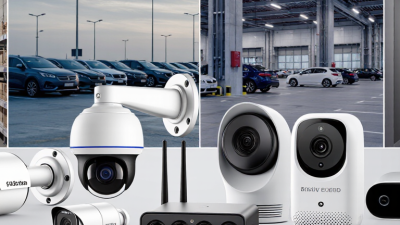
10 Motion Detection Camera Buying Tips
Choosing a Motion Detection Camera involves more than comparing megapixels or advertised detection range. A dependable choice should suit the place it watches, the light it receives, and the alerts you can realistically manage. A front porch, for example, may need clear faces near the door, while a long driveway calls for broader coverage and careful placement. Small details matter. A camera aimed toward moving tree branches may send repeated alerts, even when nothing important is happening. Security technologist Bruce Schneier offers a useful reminder: “Security is a process, not a product.” His point applies here: the camera is one part of a system that also includes installation, settings, storage, and regular checks.
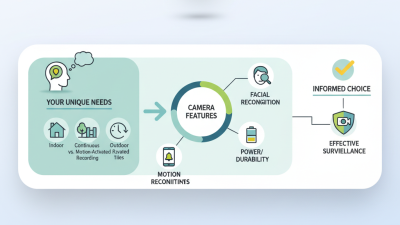
These ten buying tips will help you compare detection zones, sensor performance, night vision, field of view, weather resistance, power options, storage, and notification controls. Check whether the camera distinguishes people from general motion, and whether you can adjust sensitivity or mask busy areas. A bright porch light can help, but glare or deep shadows may still affect image quality. No camera catches everything. Think about what happens when Wi-Fi drops, too; some models may lose remote access or delay alerts. Review the manufacturer’s specifications and support information, then consider how each feature fits your actual layout. Even careful buyers can overlook maintenance. A lens needs occasional cleaning, and settings may need adjustment after seasonal changes. The best option is not always the most expensive one. It is the camera whose limits you understand and whose alerts, footage, and upkeep work for your needs.
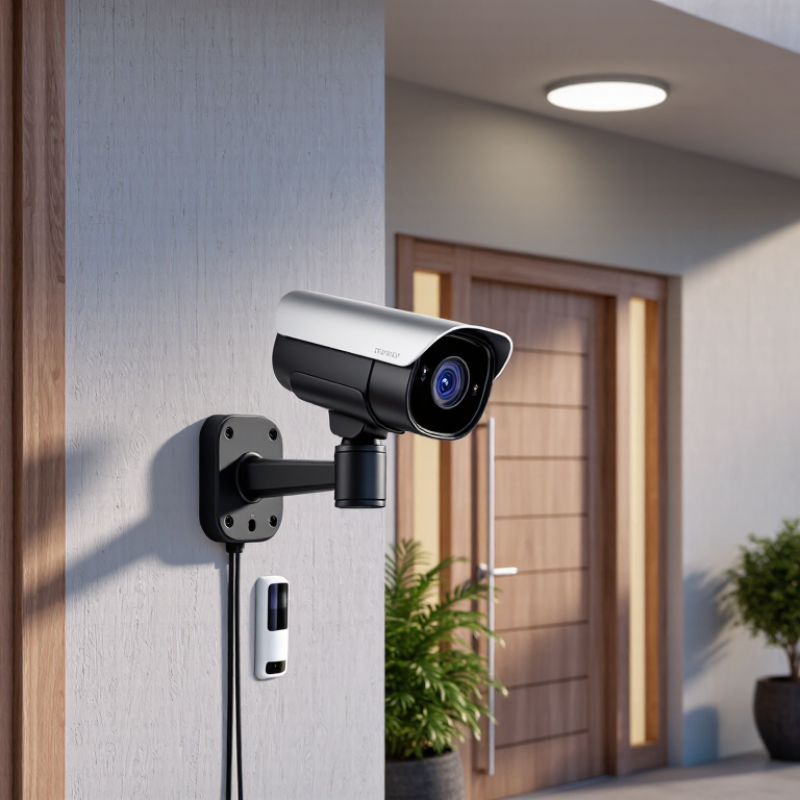
Identify Your Monitoring Needs and Camera Placement
Before comparing camera features, decide what needs monitoring: a front door, a side gate, a garage, or a package drop. Note whether you need to see movement, recognize a familiar visitor, or capture identifying detail. Those are different goals. The IEC 62676-4:2014 video-surveillance design standard gives DORI planning benchmarks of 25 pixels per metre for detection, 62.5 for observation, 125 for recognition, and 250 for identification. Treat these as planning targets, not promises: lens choice, distance, lighting, and motion can change the result. Small details matter.
Walk the area at the times you expect to use the camera. Check glare from windows, porch lights, tree movement, and shadows across the path. A camera aimed at a wide driveway may record plenty of motion but show little useful detail. Mounting it closer to a doorway can improve facial detail, though it may leave a blind spot nearby. Sketch the view and note what must remain visible. It is easy to overestimate coverage from a product image. The U.S. Bureau of Justice Statistics reported that 91% of public schools used security cameras in 2021–22, but widespread use does not guarantee thoughtful placement. Review the actual scene before choosing a field of view.
Motion Detection Camera Placement: Estimate Your Scene Coverage
This chart shows the geometric scene width for a 90° horizontal field of view: width = 2 × distance × tan(45°). Use it to plan camera placement, then check the camera’s specifications and test motion detection in the actual scene. A wider view does not guarantee that people or details will be clearly detected.
Compare Motion Detection Technologies and Alert Settings
Motion detection cameras use different methods, and each handles movement differently. Passive infrared sensors detect changes in heat, making them useful for people crossing a driveway. They may miss slow movement toward the camera. Video analytics compare image changes and can distinguish people from swaying branches, but shadows, rain, or headlights may confuse them. Some cameras combine sensors, which can reduce false alerts. No method is flawless.
Compare the alert controls before buying. Adjustable sensitivity helps balance missed activity against notifications from passing cars. Activity zones can exclude a busy sidewalk while keeping a porch in view. Check whether the camera offers person detection, notification schedules, and a cooldown between alerts. Test settings at dusk and after dark; infrared lighting can change how movement appears. I still find this easy to underestimate: a setting that works at noon may annoy you by evening.
Tips: Aim across a path, not straight along it, so movement creates a clearer image change. Start with medium sensitivity, then review several days of alerts. If a tree triggers notifications, trim the detection zone before lowering sensitivity. Keep one setting imperfect for a day; real footage often reveals what the preview misses.
Evaluate Video Quality, Night Vision, and Field of View
When comparing motion-detection cameras, judge the image at the distance where a person might approach, not just by the resolution printed on a box. IEC 62676-4’s DORI guidance uses 125 pixels per metre for recognition and 250 for identification. These benchmarks help reveal when a wide view spreads detail too thin. A doorway may look clear on a phone screen but show only an indistinct face in a recorded frame.
Field of view is a trade-off. A broad angle can cover a driveway and side gate, yet distant subjects occupy fewer pixels. Sketch the area, then check whether the camera can capture useful detail at its far edge. Walls and eaves can also block part of the view. Numbers don’t show every obstacle.
Night vision needs a real-world check. Published range figures may assume ideal conditions, while rain, reflective plates, glass, or a nearby wall can wash out infrared footage. Test it at night. Look for sharp outlines, readable movement, and usable contrast—not merely a bright image. If the camera switches from color to monochrome, check whether that change preserves enough detail for your needs. I would treat any single test as imperfect; lighting and camera placement can change the result substantially.
Check Power, Connectivity, Storage, and Device Compatibility
When evaluating a motion detection camera, begin with how it gets power. A wired unit avoids battery changes, but needs an outlet or suitable cable route. Battery models are easier to place near a gate or shed. Check expected runtime under frequent alerts, not just the best-case figure. Cold weather and live viewing can drain a battery faster. Small detail, big impact.
Connectivity determines whether alerts arrive when you need them. Check Wi-Fi coverage at the exact mounting spot; a signal that works indoors may fail through brick or a metal door. Some cameras need a hub or local network connection, so confirm the setup requirements before ordering. If the signal is weak, moving the router may not be practical. That can be frustrating.
Storage affects access and ongoing cost. A camera may save clips to a memory card, a recorder, or online storage. Find out how long clips remain available, whether recording continues during an internet outage, and if old footage is overwritten automatically. Device compatibility matters too. Confirm that the camera works with your phone’s operating system, existing smart display, and home automation features. Compatibility lists can be vague, so check the exact model and software version. A little doubt is useful. Better to verify than assume.
Assess Durability, Privacy Controls, and Total Cost
A motion detection camera may look sturdy on a store shelf, but outdoor weather tests it differently. Check the weather rating, operating temperature range, and whether the mounting plate feels secure. A camera under a roof still faces damp air, dust, and sudden temperature changes. Look closely at the cable entry points; small gaps can become a problem over time. If possible, inspect the warranty terms and replacement process, not just the advertised lifespan. A heavy housing can feel reassuring, though it may be harder to mount safely.
Privacy controls deserve the same attention as image quality. Look for adjustable detection zones, a physical lens cover, and clear options for deleting recordings. Some cameras can ignore a neighbor’s window or a busy sidewalk, reducing unnecessary alerts and captured footage. Review how clips are stored, who can access them, and whether cloud storage requires a recurring fee. Test the settings before relying on them. I once assumed a motion zone would exclude a walkway completely; a few moving shadows still triggered alerts. That was a useful reminder: settings need occasional review.
Calculate the total cost over several years. Include the camera, memory card or subscription, mounting hardware, and any replacement battery. A lower upfront price can become less attractive when essential features sit behind a monthly plan. Still, paying more does not guarantee better privacy or durability. Compare the actual controls and materials, then choose the trade-off you can live with. Some compromises remain.